
The Form Designer, VallentaDesigner
A .dfm form opened from VS Code appears in VallentaDesigner: a designer window with a component palette built from the packages installed in Delphi, an object inspector backed by the IDE's own property editors, and event handlers that Vallenta Studio creates, renames and removes in the unit. A saved form is written in the text format the IDE produces.
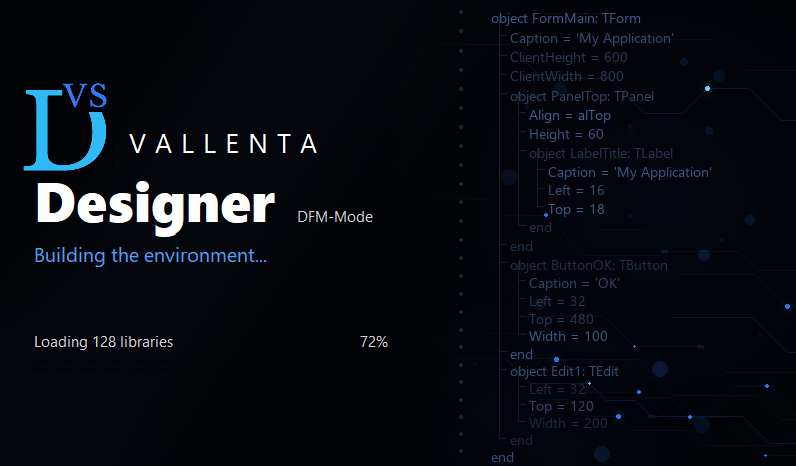
The start screen while the designer loads the component packages of the selected Delphi installation.
Real components, outside the IDE
VallentaDesigner is a separate Windows application, published as source under the MIT license and built with each Delphi version in use. It runs against the runtime packages of that Delphi installation and loads the design packages the IDE has installed, so the form on the design surface consists of real component instances: the stock VCL and every third-party package registered in the IDE, with the icons and property editors their packages ship.
Vallenta Studio launches the designer when a .dfm is opened, forwards the project's search path so ancestor forms and frames resolve, and performs every source edit the designer requests: a component placed on the form gains its field in the unit, a deleted one loses it, a renamed one renames its field and its handlers, and a double-click on an event creates the handler and reveals it in the editor. The designer reads and writes the .dfm only; the unit is edited by the extension through the language server.
Components from a package that is not installed are kept as placeholders and written back untouched, as is any property the designer cannot read.
Three steps, once per Delphi version
Build the designer
The source is published under the MIT license. Opening VallentaDesigner.dproj in Delphi and building it produces VallentaDesigner.exe; one build per Delphi version in use, from the same source tree. It is a runtime-packages build, which is what lets it load the component packages the IDE has installed.
Enter the path per Delphi version
The Form Designer card on the settings page holds one row per installed Delphi version. The path of the executable built with that version is entered in its row; the row of the selected version is marked active.
Switch it on
With Open .dfm files in the Vallenta Form Designer enabled, a form opened from the file explorer, from the DFM badge in the project explorer or with F12 from its unit opens in the designer, and no editor tab is left behind. Alt+F12 opens the form as text.
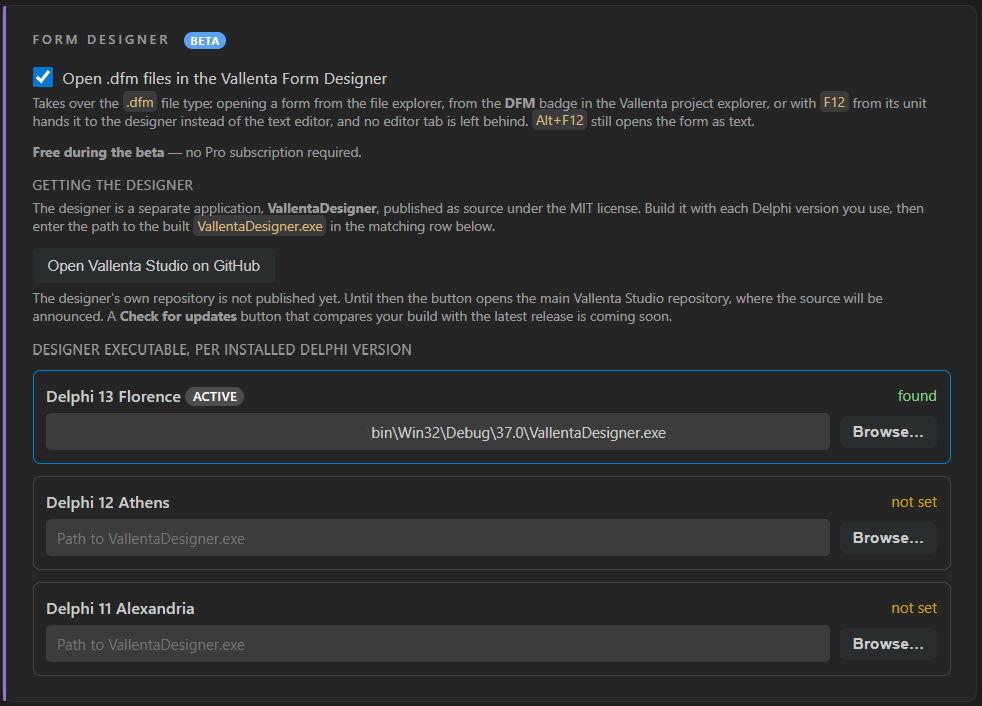
The switch that takes over the .dfm file type, the source link, and one executable path per installed Delphi version.
The designer window, part by part
A palette built from the installed packages
The palette lists what the design packages of the selected Delphi installation register, grouped by category and with the icons the packages ship: stock VCL and third-party components alike. A search field filters by name; a Favourites tab keeps the components used most. A component is placed by click, by dragging a rectangle, or by double-click at its constructor size, and is named the way the IDE names it.
An object inspector backed by the IDE's editors
The component tree mirrors the form's parent hierarchy and shares its selection with the surface. Property rows come from the property editors the loaded packages register, so a third-party component is presented with the rows its author defined. Colours, fonts, sets and sub-objects edit inline; TStrings, TPicture and collections open their own dialogs; a double-click runs a component editor's default action, and a right-click lists its verbs. With several components selected, the inspector shows their shared properties and writes an edit into every one of them.
The unit follows the form
Every source edit is performed by Vallenta Studio through the language server: a component added on the form gains its field in the unit, a deleted one loses it, renaming a component renames its field and its event handlers, and a double-click on an event creates the handler and reveals it in the editor. Saving the form saves the unit with it. A unit in ANSI encoding is converted to UTF-8 with BOM before a non-ASCII component name is written.
Editing on the surface
Click, Shift+click and marquee selection. Move and resize snap to the 8 x 8 grid, or follow the mouse exactly with Alt held; arrow keys nudge by a grid step, Ctrl+Arrow by one pixel. Align, Size, Tab Order and Creation Order act on the selection. Copy, cut and paste move component fragments through the system clipboard, within a form or between forms. Undo and redo keep 100 steps, one per gesture.
Files preserved as written
A form loaded and saved without changes is written back unchanged, event handler names included. A component whose package is not installed is kept as a placeholder and written back untouched, as is any property the designer cannot read. Frames used inside a form and forms built on other forms (inherited) open with their ancestors resolved from the project's search path; what is saved is again only the differences.
One resident process, several forms
One designer process serves every form of a Delphi version: the second form opened reuses the loaded packages, so only the first waits for the package load. Each form has its own window; a notification-area icon lists the open documents and is the only place the process is ended. Every unsaved document is journalled every 30 seconds as a complete form file and offered back after a session that ended without a save prompt.
Opened from VS Code, as recorded
A short demo of VallentaDesigner in action, opened from VS Code.
.dfm as text.One writer per file kind
VS Code and the designer communicate over a named pipe. The extension starts the designer with the form, its search path and the Delphi environment, attaches to the running core afterwards, and raises the document window. Requests are sent in both directions: the extension sends the designer an open request for a form; the designer sends the extension a request for every change to the unit, and the extension performs it through the language server that already indexes the project. The designer writes the .dfm, the extension writes the .pas.
In the beta
- VCL forms, frames and data modules; forms built on other forms.
- Third-party packages with their icons, property editors and component editors.
- Fields, event handlers and renames written to the unit by Vallenta Studio.
- Clipboard, undo and redo, multi-selection with align and size commands.
- Recovery of unsaved documents.
Coming later
- FMX forms; an
.fmxfile opens as text. - The designer inside a VS Code tab instead of its own window.
- A Check for updates button that compares the build with the latest release.
Forms designed from VS Code, with Vallenta Studio
Free during the beta, no Pro subscription required. After the beta the designer is part of the Pro plan; every Pro feature is available free for 5 days after registration.