
The Debugger, on Linux
A Linux64 project is compiled on Windows, deployed to a Linux machine and debugged there from VS Code: breakpoints, stepping, call stack, locals and Watch expressions in Delphi syntax. The Delphi installation, the source files and the editor remain on Windows. Only the program runs on Linux.
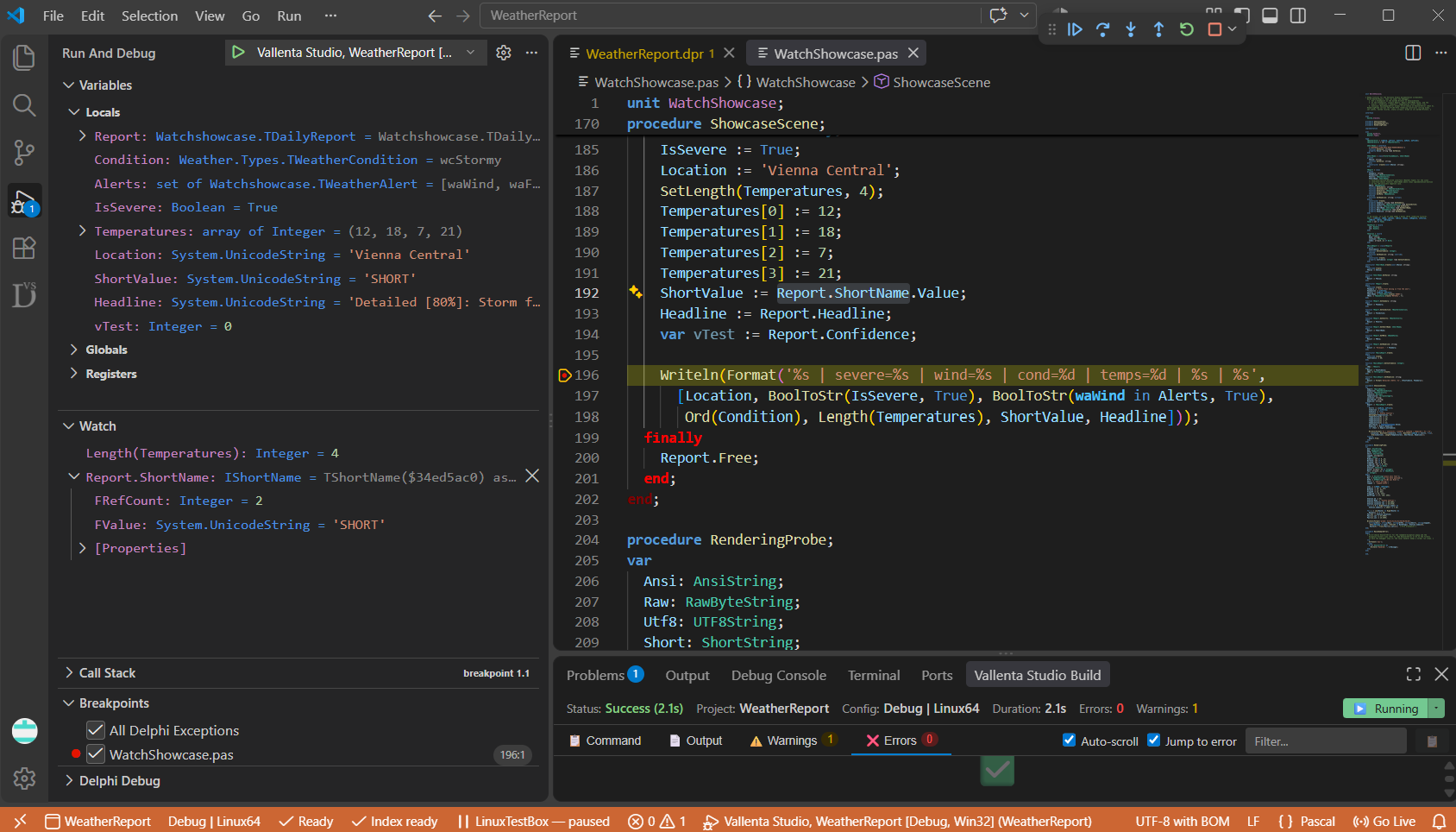
Deployment and debugging without PAServer
A Linux64 project is compiled on Windows by Delphi's Linux compiler. Vallenta Studio copies the executable and the configured deployment files to the Linux machine, starts the program there under the debugger and presents the session in VS Code. The Linux side runs one static binary, VallentaAgent. PAServer, paclient, Embarcadero's LLDB and the IDE's Linux SDK registration are not used. The Linux machine needs no SDK and no development packages: only VallentaAgent and the lldb-server package of its distribution.
Three steps, once
Each step is performed once per machine. Afterwards F5 behaves as on Windows.
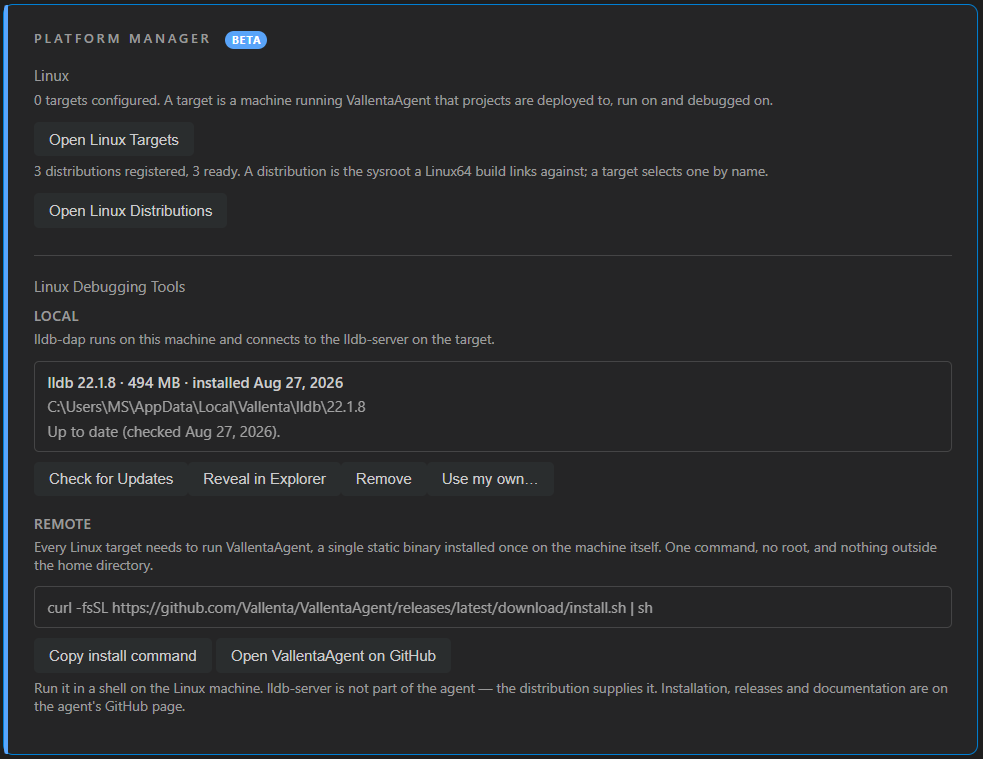
Install the agent
The agent is installed with one command on the Linux machine, without root and entirely inside the home directory. At start it prints a pairing token. lldb-server is installed from the distribution's package manager; the agent reports the package name for the distribution it detects.
curl -fsSL https://github.com/Vallenta/VallentaAgent/releases/latest/download/install.sh | sh
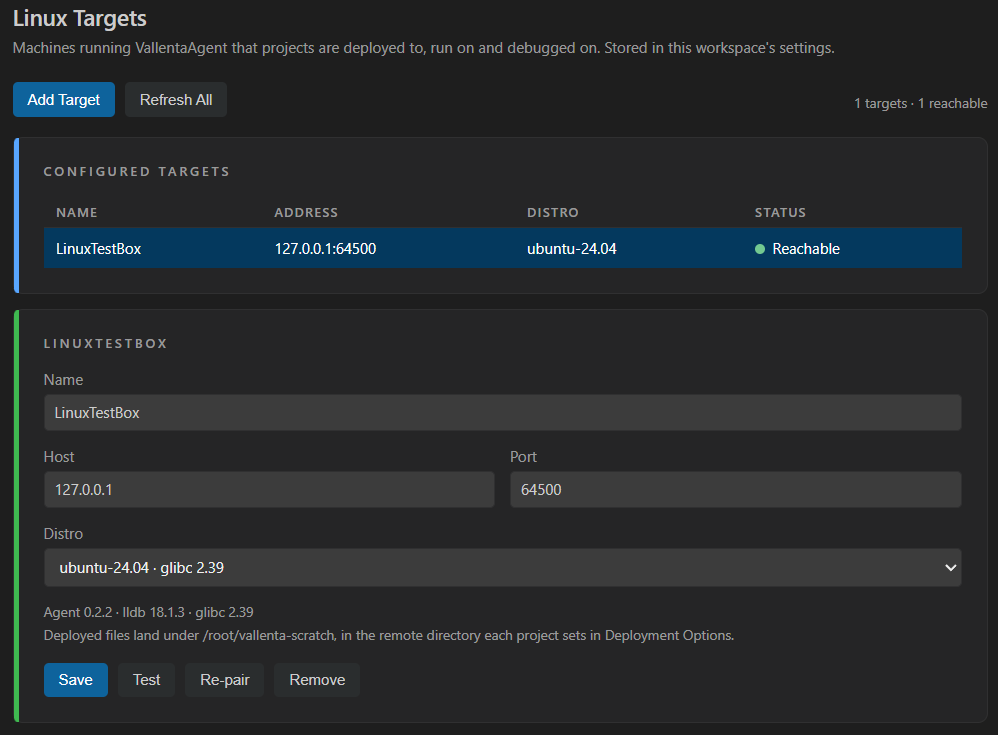
Pair the machine
Add Linux Target pairs the machine from host, port and the printed token; pairing is performed once. The Linux Targets panel lists each paired machine with the values it reports: agent version, lldb-server version, distribution and glibc. A project references a target by name; no host name or port is written into the .dproj.
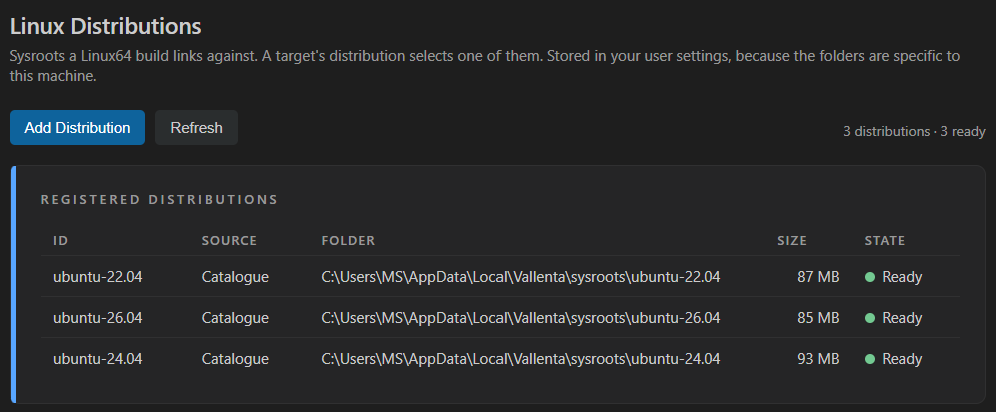
Prepare a sysroot
Linking a Linux64 project requires the target distribution's libraries. The Linux Distributions panel downloads them from the distribution's own package archive and prepares a sysroot per distribution; the target's distribution selects the sysroot a build links against. No Linux SDK registration in the IDE is required. A library not in the catalogue is added by package name.
F5 then builds the project if it is out of date, deploys it and starts the debug session.
Debugging on the target, from VS Code
Breakpoints, stepping and call stack on the target
Breakpoints set in the Windows source files bind in the program running on Linux. Step into, step over, step out, call stack navigation and local inspection work as on Windows. Delphi strings, dynamic arrays, sets, records, classes and interfaces are rendered in Delphi form.
Watch expressions in Delphi syntax
The Watch panel evaluates Delphi expressions against the running Linux process: Length(Temperatures), Report.ShortName.Value, or a method call on a live object, with arguments. An interface reference resolves to the implementing object and its fields.
Delphi exceptions stop at the raise site
A raised Delphi exception stops execution at the raise statement and reports the exception class and message. All Delphi Exceptions is the default filter in the Breakpoints view, as on Windows.
Deployment per build configuration
Deployment Options holds the target, the working directory and the deployed files per build configuration: single files, folders or patterns such as data/**, each with subfolder, remote name, overwrite and executable flags. The Live Target View shows the resulting layout on the target before any file is copied.
Linking without a registered SDK
The build links against a sysroot assembled from the distribution's own packages, pinned to an archive snapshot. Ubuntu 22.04, 24.04 and 26.04 are in the catalogue. A sysroot can also be linked from a local folder, or imported from a paired target that has its development packages installed.
Program output in its own terminal
Program output is written to an integrated VS Code terminal, and a program that reads standard input is driven from the same terminal. Each session writes its startup steps, with durations, to the Vallenta Linux Debug output channel.
Deployment and program output
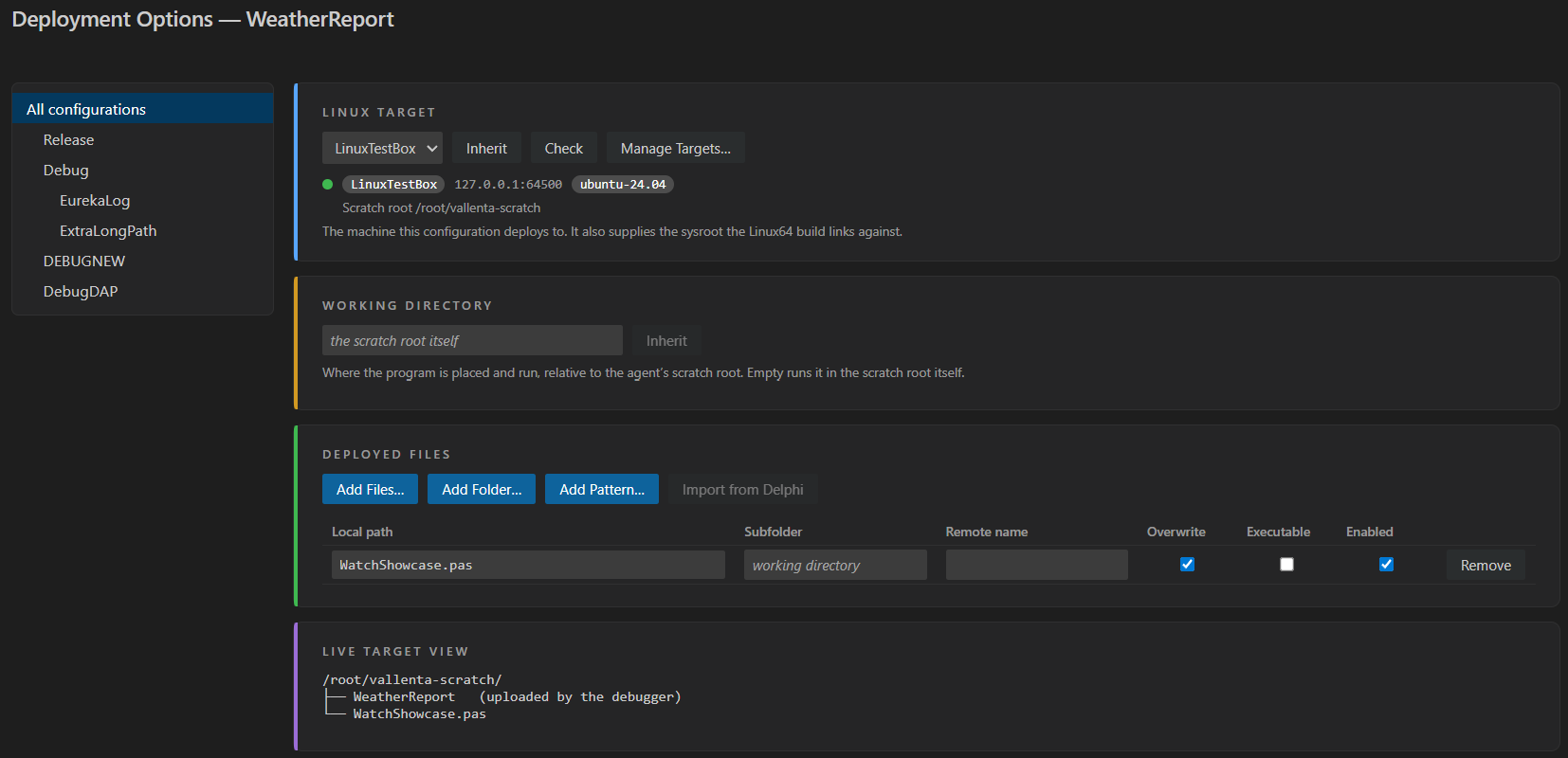
Target, working directory and deployed files per build configuration. The Live Target View below shows the layout on the target, including the executable, which the debugger uploads without an entry.
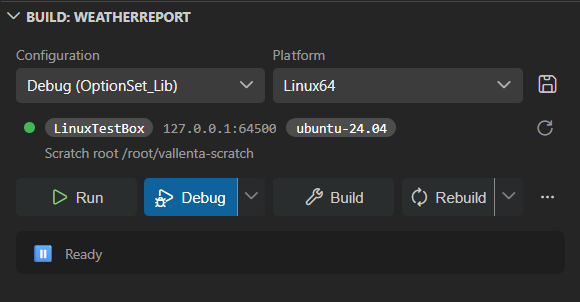
The build panel shows the configuration's target and its reachability before Debug is pressed.
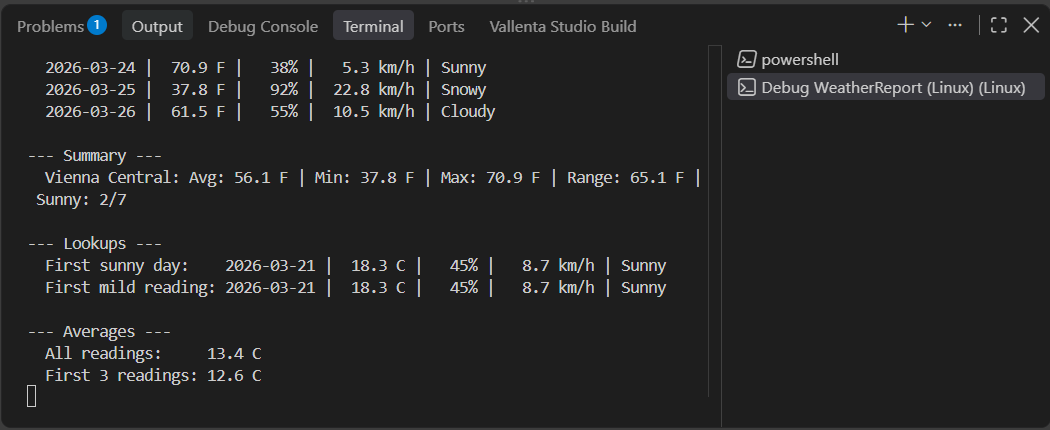
The program's output in the integrated terminal of the debug session. A program that reads standard input is driven from the same terminal.
How a session runs
VS Code communicates with Vallenta Studio's Linux debug adapter. The adapter drives lldb-dap on Windows, which connects to an lldb-server on the Linux machine that VallentaAgent starts per session. Debug information is the DWARF the Delphi compiler writes into the ELF executable. Vallenta Studio reads it into the same type model the Windows debugger uses and reads interface types from the program's RTTI, since DWARF does not record them. Breakpoints are set on Windows paths and mapped to the target.
The Linux debug adapter. Breakpoints are set on Windows paths.
Downloaded once on request.
One lldb-server per debug session.
Runs in the agent's scratch root.
One static binary
VallentaAgent is the only component installed on the Linux machine: one static binary, installed inside the home directory without root. It prints a pairing token at start, starts one lldb-server per debug session and confines deployed programs to a scratch root. The control connection is authenticated but not encrypted; the intended deployment is a trusted network or an SSH tunnel, with the agent running as a dedicated low-privilege user.
- Install: one curl | sh line, no root, ~/.local/lib/vallenta-agent
- lldb-server from the distribution: Debian/Ubuntu, Fedora/RHEL, Arch, openSUSE
- Pairing token per start; five wrong tokens lock pairing for one minute
- Proprietary license; binary attached to each GitHub release
Coming soon
- Attaching to a running Linux process
- Encrypted control channel
- Network discovery of agents
- Agent self-update
Linux64 debugging with Vallenta Studio Pro
Included in the Pro plan as a beta. Every Pro feature is available free for 5 days after registration.