
Project Editor
A modern, visual editor for managing your Project options - built right into your code editor.
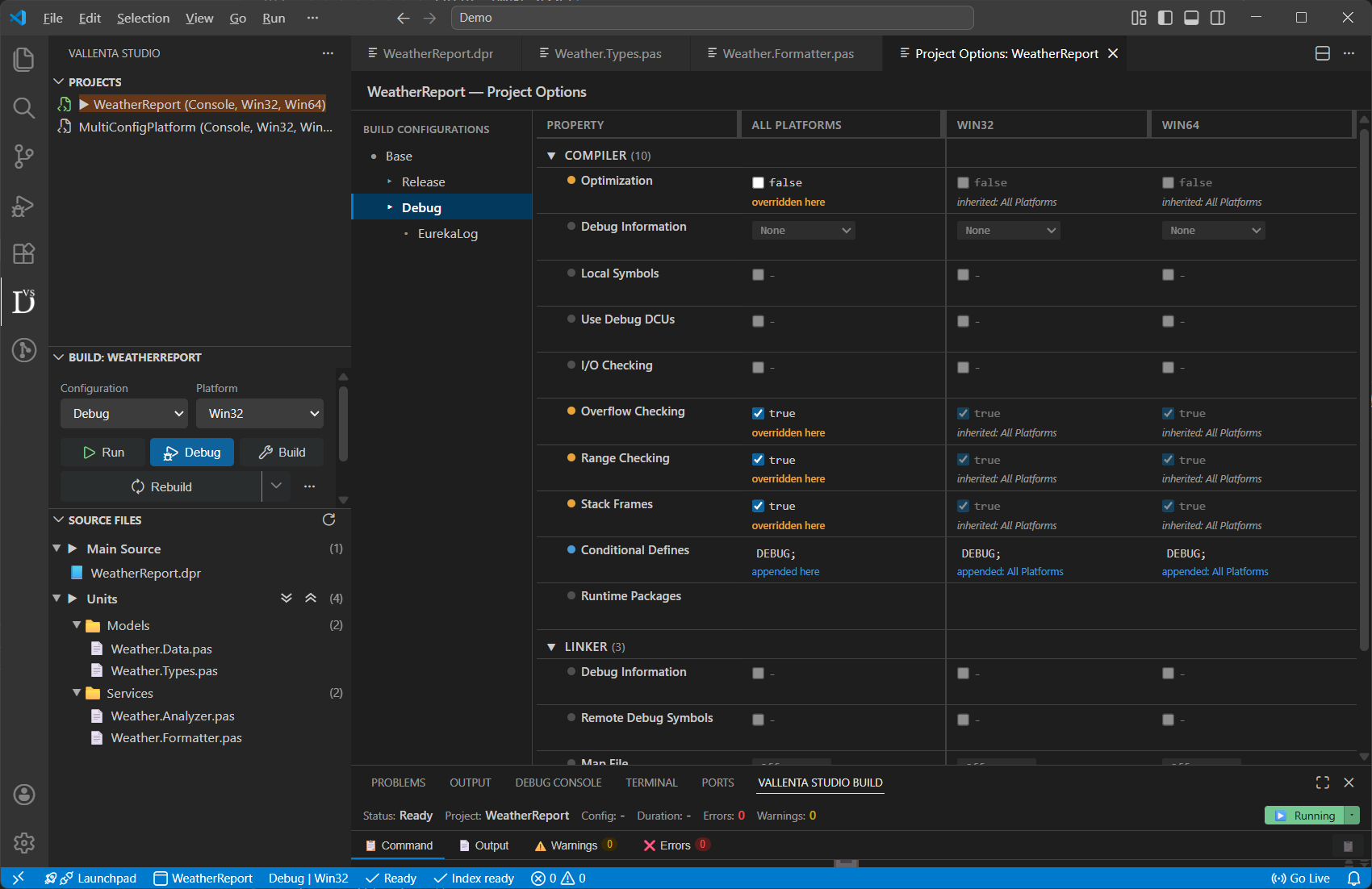
Full configuration control - without leaving VS Code
The Project Editor brings full project configuration management with a new, clean and intuitive interface. Configure every aspect of your build, debug, and deployment setup without ever leaving your workspace.
Built for your real projects
Visual Configuration Hierarchy
Navigate your project's configuration tree. The editor displays the complete inheritance chain - from the Base configuration down through Debug, Release, and any custom configurations you've created. See at which settings are inherited, which are overridden, and where each value originates.
Multi-Platform Support
Manage settings for every target platform side by side. Switch between platforms instantly and compare configurations to keep your builds consistent - or intentionally divergent - across all of them.
Smart Property Resolution
Every property displays both its raw value and its resolved value - so you immediately see what's actually being used at build time, with all macros expanded and inherited values applied. No more guessing why a setting behaves differently than expected.
Purpose-Built Editors
Each option type gets the right editor for the job: toggles for booleans, dropdowns for enumerations, folder pickers for paths, dedicated list editors for search paths and conditional defines, and multi-line editors for build event scripts.
Live Synchronization
Changes made in the editor are written directly to your project file in a clean, predictable format. Files remain fully compatible with the standard, so the editor works seamlessly alongside your existing workflow.
Try the Project Editor with Vallenta Studio Pro
Available on the Pro plan - try every Pro feature free for 5 days when you register.